Register To Comment
Page 6 of 7 FirstFirst ... 4567 LastLast
Results 51 to 60 of 62

Thread: FRA Forum Upgrade

  1. #51

  2. #52
    kane's Avatar
    Roboteer

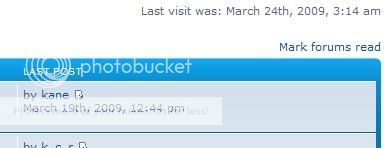
    Where is the time showing incorrectly on your screen?

    It shows fine on every machine I've checked.
    Attached Images Attached Images
    Kane Aston
    http://www.makerobotics.com

    Co-owner and builder of BEHEMOTH

  3. #53
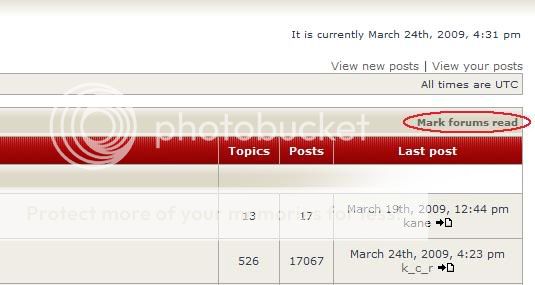
    Sorry to be a pain, but can I ask, is there any way easily to clear all the red 'new post' indications? When I log in, all the threads that have been transferred from the old forum have the red 'new post' indication next to them and the only way so far to clear them is to individually visit each page, which takes quite a while as you can imagine! Its handy having the 'new post' icons when I log in but its hard to spot which ones are new since my last visit compared to all the other ones that are classed as new because they've been transferred.

    If anyone knows an easy quick way to do this I'd very much appreciate it
    Ta muchly

  4. #54

  5. #55
    Muchos gracias amigo - that's done the job

  6. #56
    I'd like to be able to use my usual avatar, but it is 64x48 pixel and 69kb, can you arrange a link to off-site avatar option?


  7. #57

  8. #58
    cliveb's Avatar
    Roboteer

    Will you all please stop adding pictures and messages to your posts,I cant manage to do it and its making me feel old and innadequate. :sad:
    Thanks
    Clive
    Team Toon:
    Heavyweight UK Champion 2015
    Robot Wars World Annihilator Champion 2015
    Heavyweight Tag Team Champion 2012
    Featherweight UK Champion 2010
    Featherweight Annihilator Champion 2009,2011 & 2014
    Rebel Robots Champion 2009
    Pika Annihilator Champion (Belgium) 2012
    Tanja Trophy Winner 2010
    Team Champions ( Team Barbie) 2011

  9. #59
    kane's Avatar
    Roboteer

    It's really easy!!!

    Just click the browse button in the upload attachment section and then select the picture you want to attach.

    If your image is too big, you can use the image resize powertoy from Microsoft to resize your images by simply right clicking them and selecting resize.

    Once you are happy click Add the file and this will attach the image to your post!

    If you've got an image you want as your avatar just email it to me and I'll sort that out for you!
    Attached Images Attached Images
    Kane Aston
    http://www.makerobotics.com

    Co-owner and builder of BEHEMOTH

  10. #60
    Does the [img] tag not work anymore?

Register To Comment

Posting Permissions

  • You may not post new threads
  • You may not post replies
  • You may not post attachments
  • You may not edit your posts
  •